How to download a Dailymotion video
Three steps, and then an explanation of what is actually happening — because the middle step behaves differently here than on most download sites, and it is worth knowing why.
The three steps
Open the video on Dailymotion and copy the address. Anything containing /video/ works, and so does a dai.ly short link. On the mobile app, use Share and then Copy link.
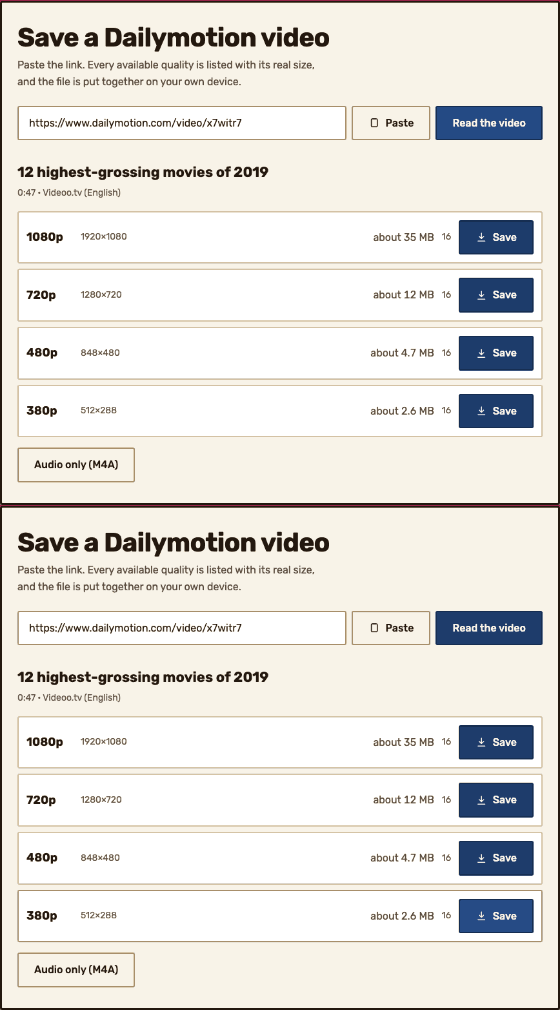
Paste it into the box on the downloader and press Read the video. Every quality Dailymotion offers appears with its real size and how many pieces it arrives in.
Press Save beside the quality you want. A progress readout appears while the file is put together, then your browser saves it.

Why there is a wait
Dailymotion does not keep a finished MP4 anywhere. It serves video as HLS: a small playlist plus a long run of short pieces, which is what lets a player change quality partway through without reloading.
So a download is really a collection job. The pieces have to be fetched and joined back into one file, and that takes as long as it takes. A one-minute clip is over almost immediately. A feature-length upload can run to a couple of thousand pieces.
On this site the joining happens in your browser rather than on a server, so the finished file is created on your own machine and never sits anywhere else.

On a phone
It works the same way, with one caveat worth knowing: the file is assembled in memory before it is saved, so a very long video needs enough free memory on the device to hold it. If a large download fails on a phone but succeeds on a computer, that is usually why.
Picking a lower quality is the reliable fix. The sizes are listed before you commit precisely so that choice is informed.
Audio only
The Audio only button writes an M4A rather than an MP3. That is deliberate: Dailymotion sends AAC audio, and lifting it out unchanged keeps it exactly as it was sent. Converting to MP3 would mean decoding and re-encoding, which loses quality a second time for no benefit.
M4A plays on every modern phone, browser and media player. If you need MP3 specifically for an older device, convert the M4A afterwards.
Questions
- Do I need an account?
- No. There is no account, no sign-up and no app.
- Is there a watermark?
- No. The video is rewrapped, not re-encoded, so the picture is exactly what Dailymotion sent.
- Is there a size limit?
- No artificial one. The practical limit is your own device, since the file is assembled in your browser.
Checked 2026-08-17